v0.28 In development, coming soon

Make your display look right.

Spectra sets gamma, contrast, color and saturation for each screen on Windows, and adds a crosshair overlay. All of it lives in one glass app that restores your original colors when you quit.

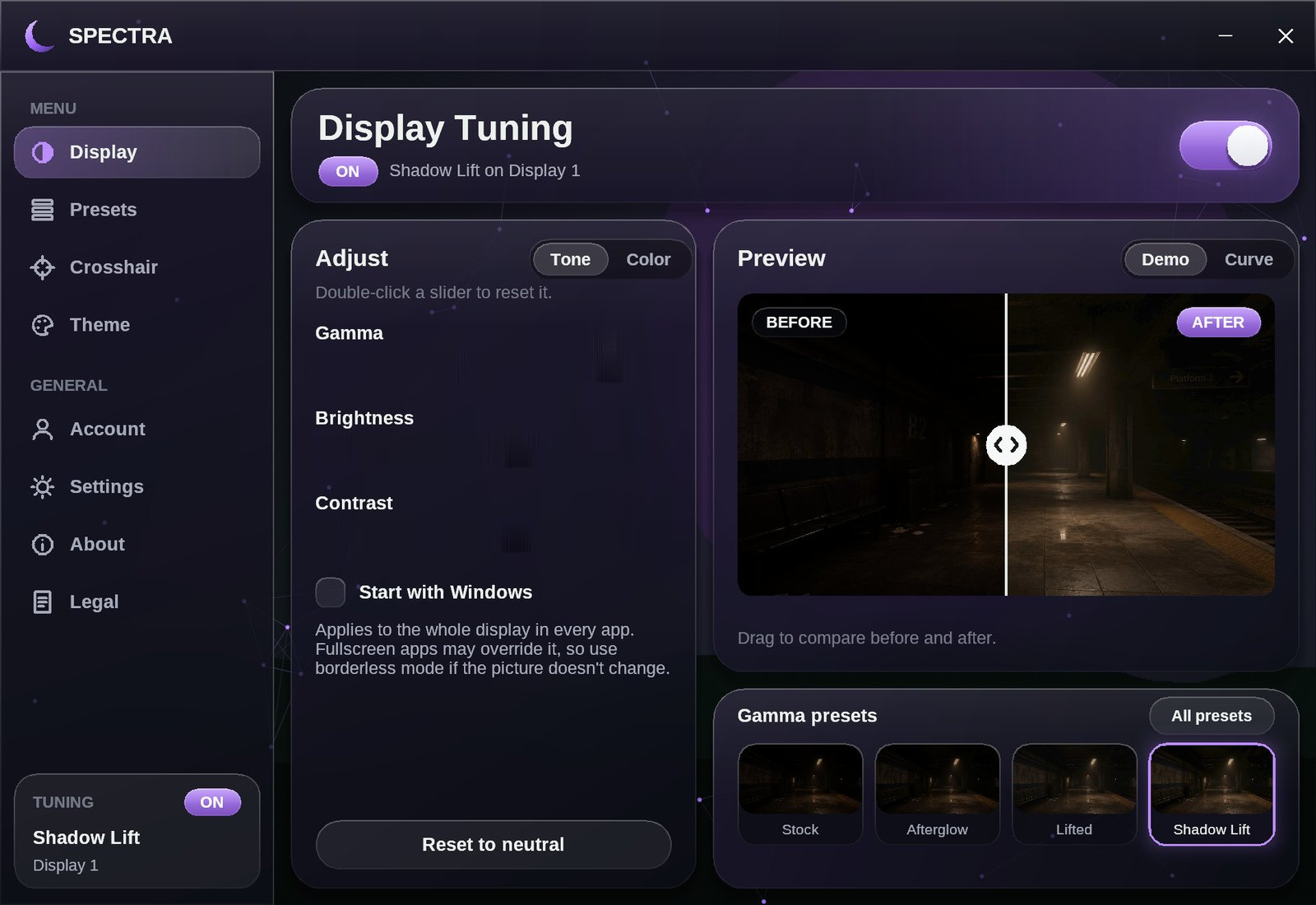
The Spectra Display Tuning page. Gamma is set to 1.45 with the Shadow Lift preset, and the before and after preview shows a dark subway platform becoming easier to see.

Try it: drag the sliders or the comparison line. Switch between Tone, Color and Crosshair to explore the controls. Double-click a slider to reset it.

AI pictures are used as reference on this site, including inside these app screenshots. Real pictures are in the real app.

Gamma
0.60 – 1.60
Saturation
0 – 300%
Crosshair designs
10 + yours
Built-in presets
18

Live demo

Drag the line. Move the sliders.

Your browser only changes the picture below, while Spectra changes your whole display. Gamma, brightness, contrast and saturation use the app's math. Vibrance needs an NVIDIA card, and here it is an estimate.

BEFOREAFTER

The demo picture is AI-generated reference. Real pictures are in the real app.

Input brightness on the bottom, output on the side. The dashed line means no change.

Pricing

One price. Yours to keep.

  • One payment, no subscription
  • Updates included through the app
  • One PC per account, and you can move it every 7 days
  • 14-day refund if it isn't for you
Buy Spectra

Secure checkout by Stripe. Your card details go directly to Stripe and never reach Spectra. Tax is included, and your receipt comes by email.

You need an account to buy, and your license goes on it. Windows 64-bit only.

Tuning

Each screen gets its own settings.

Tone and color sit on separate tabs, with a before and after view that updates while you drag. Close the window and Spectra keeps working from the tray. Quit it and your original colors come back.

  • Saturation works on any graphics card
  • Vibrance uses the NVIDIA driver's own control
  • Start with Windows applies your settings at sign-in
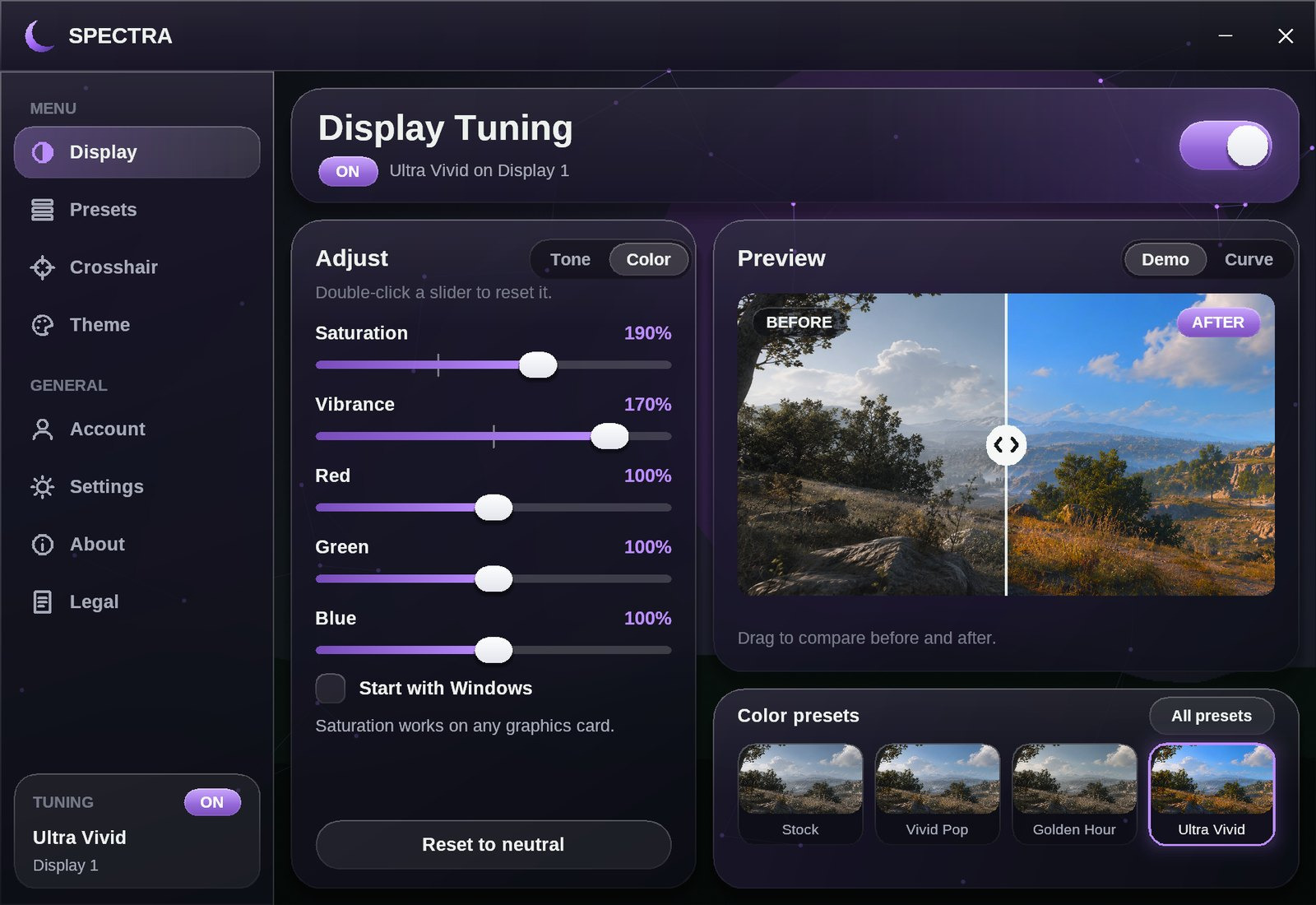
The Color tab with sliders for saturation, vibrance, red, green and blue, and a preview of the Ultra Vivid preset on a sunny valley.

Presets

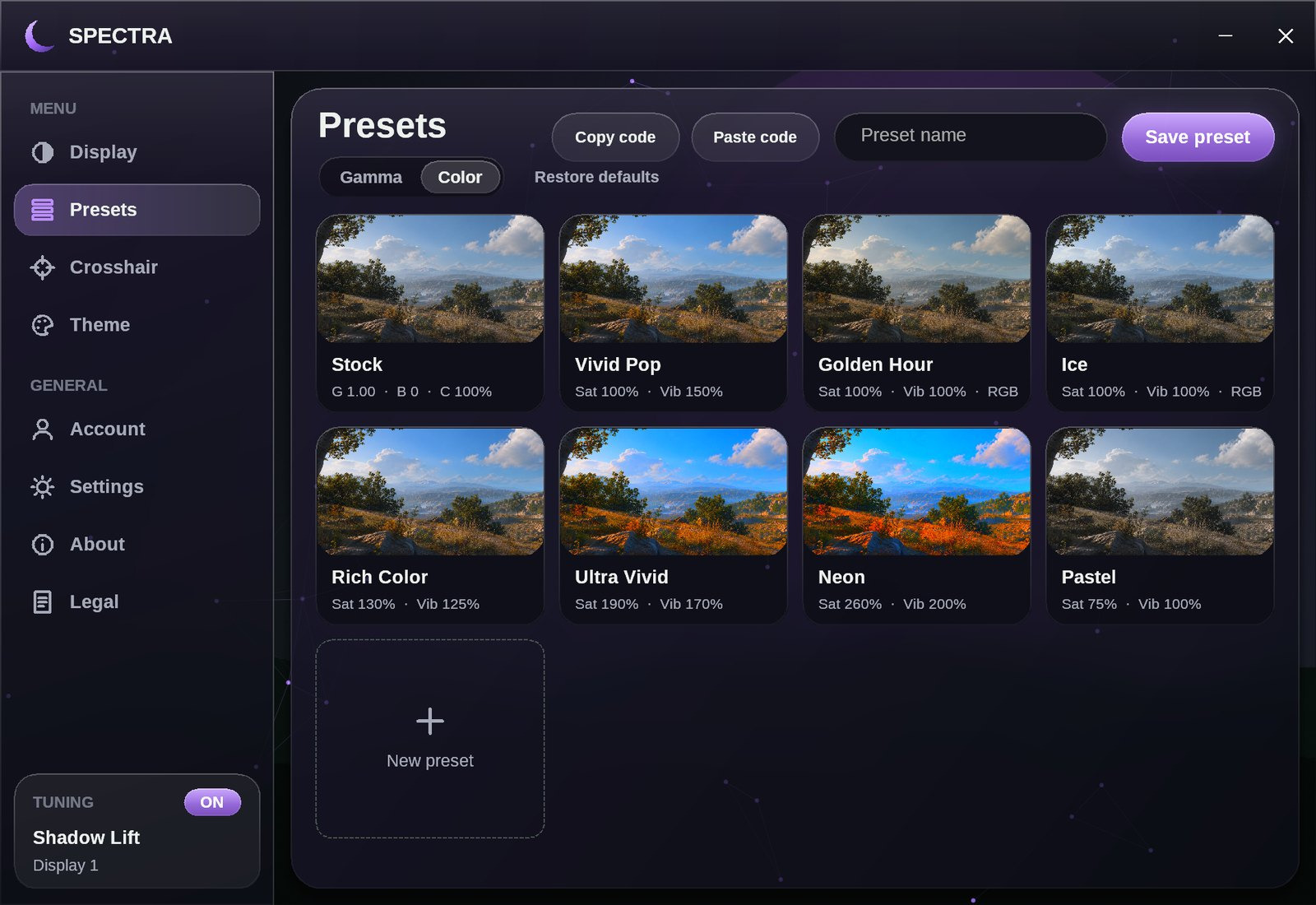
Gamma presets on a dark picture. Color presets on a bright one.

Every preset shows its result on a picture that suits it, so you can see the difference before you click. Deleted a default by mistake? Restore defaults brings it back and leaves your own presets alone.

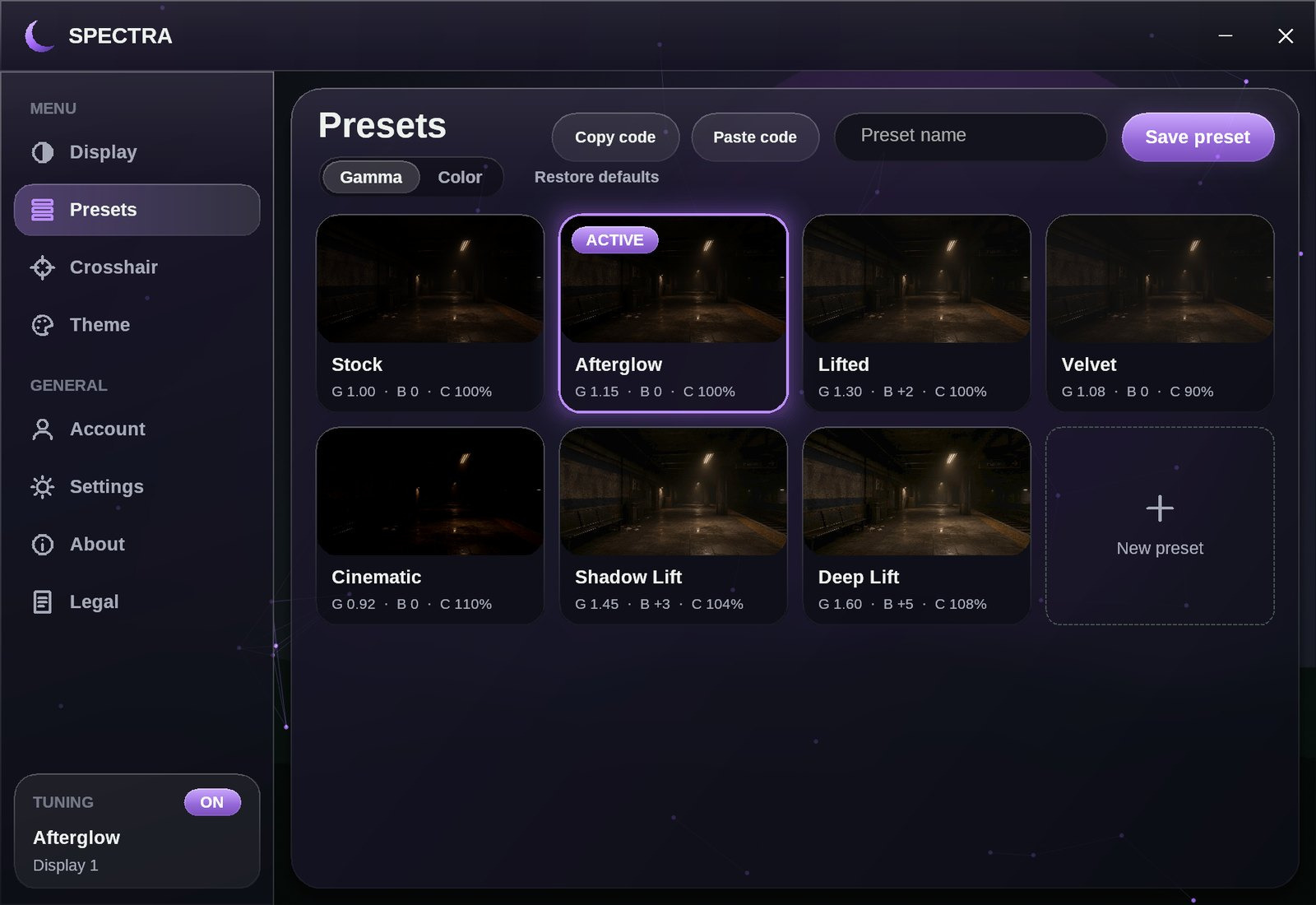
Gamma presets including Afterglow, Lifted, Velvet, Cinematic, Shadow Lift and Deep Lift.
Gamma: Afterglow, Lifted, Velvet, Cinematic, Shadow Lift, Deep Lift
Color presets including Vivid Pop, Golden Hour, Ice, Rich Color, Ultra Vivid, Neon and Pastel.
Color: Vivid Pop, Golden Hour, Ice, Rich Color, Ultra Vivid, Neon, Pastel

Crosshair

Build one here. Paste the code in the app.

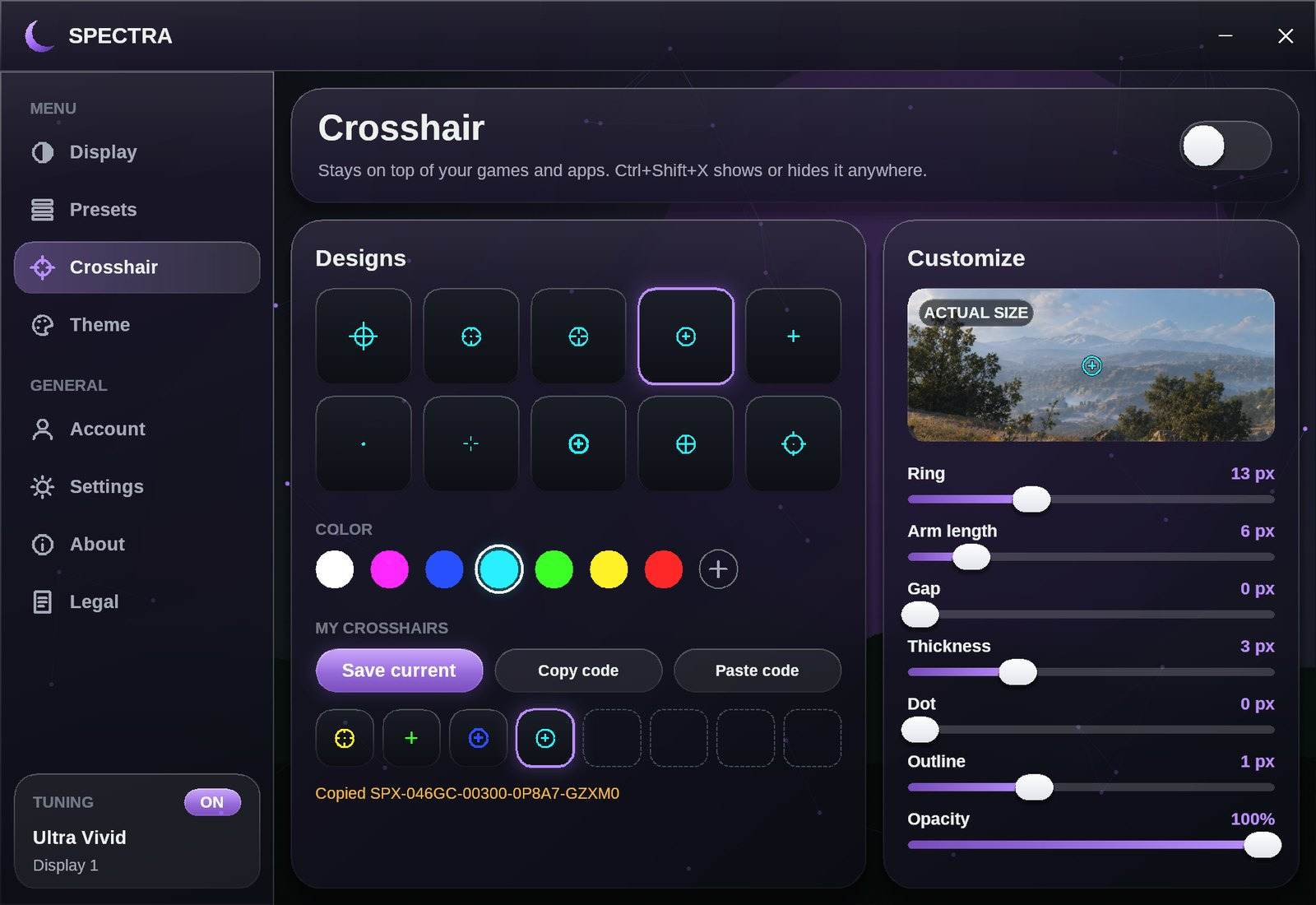
Pick a design and a color. The code below is a real Spectra share code, so a friend can paste it and get the same crosshair. Press Ctrl+Shift+X in the app to show or hide it.

The app adds sliders for ring, arm length, gap, thickness, dot, outline and opacity. It has room for 8 saved crosshairs, and color presets get share codes too.

The Spectra Crosshair page with ten designs, seven colors, saved crosshairs and customize sliders.

Themes

Make the app yours.

Choose the accent color and how much the Geometry effect moves behind the glass. This page changes with you. In the app you also control fonts, corners, glow and your own background picture.

Display Tuning

Details

The exact ranges.

Gamma
0.60 – 1.60
Saturation, all screens
0 – 300%
Brightness
-20 – +20
Vibrance, NVIDIA only
0 – 200%
Contrast
70 – 130%
Red, green, blue
80 – 120%
System
Windows, 64-bit
Login
Discord

What's new

Recent versions.

  • 0.28

    Log in with Discord or your Spectra account, and turn on two-factor login in Settings.

  • 0.27

    Larger preset cards with descriptions and stronger green and blue looks.

  • 0.23

    Four new dark presets with green and blue tones: Deep Forest, Emerald Night, Midnight Blue and Deep Sea.

  • 0.22

    The version number now sits next to the name, and new versions are found right away.

  • 0.21

    Larger effect cards on the Theme page.

  • 0.20

    One account works on one PC, and you can move it to another once every 7 days.

  • 0.19

    Plus icons now sit in the exact center.

  • 0.18

    Log in with Discord. Spectra can now update itself when it opens.

  • 0.17

    Saturation up to 300%. New crosshair page, share codes, separate gamma and color presets, Restore defaults and a real Windows setup.

Limits

What Spectra doesn't do.

  • It doesn't touch your games.Spectra never reads or changes game files or game memory.
  • It doesn't go past gamma 1.60.Higher values wash the picture out, so the range stops there.
  • Exclusive fullscreen can override it.Use borderless mode if the picture doesn't change. The crosshair also needs borderless or windowed mode.
  • Vibrance needs an NVIDIA card.Everything else works on any graphics card.

FAQ

Common questions.

Can I get Spectra now?

Not yet. Spectra is still in development. Price and release date come later.

Are crosshair overlays and screen filters allowed in games?

That depends on the game. Some games ban crosshair overlays or display filters in their rules, so check the rules for the games you play. Spectra doesn't bypass anti-cheat.

Windows or my antivirus shows a warning. Why?

Spectra isn't code-signed yet, and new unsigned apps often trigger warnings. Signing is planned. Only download Spectra from this site or the official Discord.

Why does it only work on one PC?

Each account is tied to one PC so accounts can't be shared. If you change PC, log in there and choose Move to this PC. You can do that once every 7 days.

Will it change my colors permanently?

No. Turn Spectra off or quit it and your original colors return.

Do I have to download every new version?

No. After the first install, Spectra tells you when an update is ready, installs it and restarts by itself.

Spectra is coming soon.

Join the Discord for updates, or try the demo while you wait.

Log in

or

At least 8 characters. Discord and email logins with the same address are the same account.

Name
Email
License
Two-factor login
QR code for your authenticator app

Can't scan it? Add this key by hand: